
blog.tableOfContents
- 1. Radio interference can disrupt the connection
- What can you do?
- 2. Your Bluetooth pairing history may be causing problems
- How to do it
- 3. Your earbuds' firmware may be outdated
- What to check
- 4. The distance between your earbuds and phone matters
- A simple test
- 5. Multipoint can cause unexpected switching
- How can you check?
- 6. Dirty charging contacts can complicate the diagnosis
- What order should you try the solutions in?
- When should you consider a hardware problem?
- Should I completely reset my earbuds if they keep disconnecting?
- Can multipoint cause disconnects?
- Can a dirty charging case or dirty earbuds cause connection problems?
- Why do my earbuds only disconnect in certain places?
- Why does only one earbud keep disconnecting?
blog.inBrief
Are your earbuds constantly disconnecting from your phone? Bluetooth interference, pairing history, outdated firmware, distance, or multipoint can all play a role. Here are the most common causes and solutions to try.
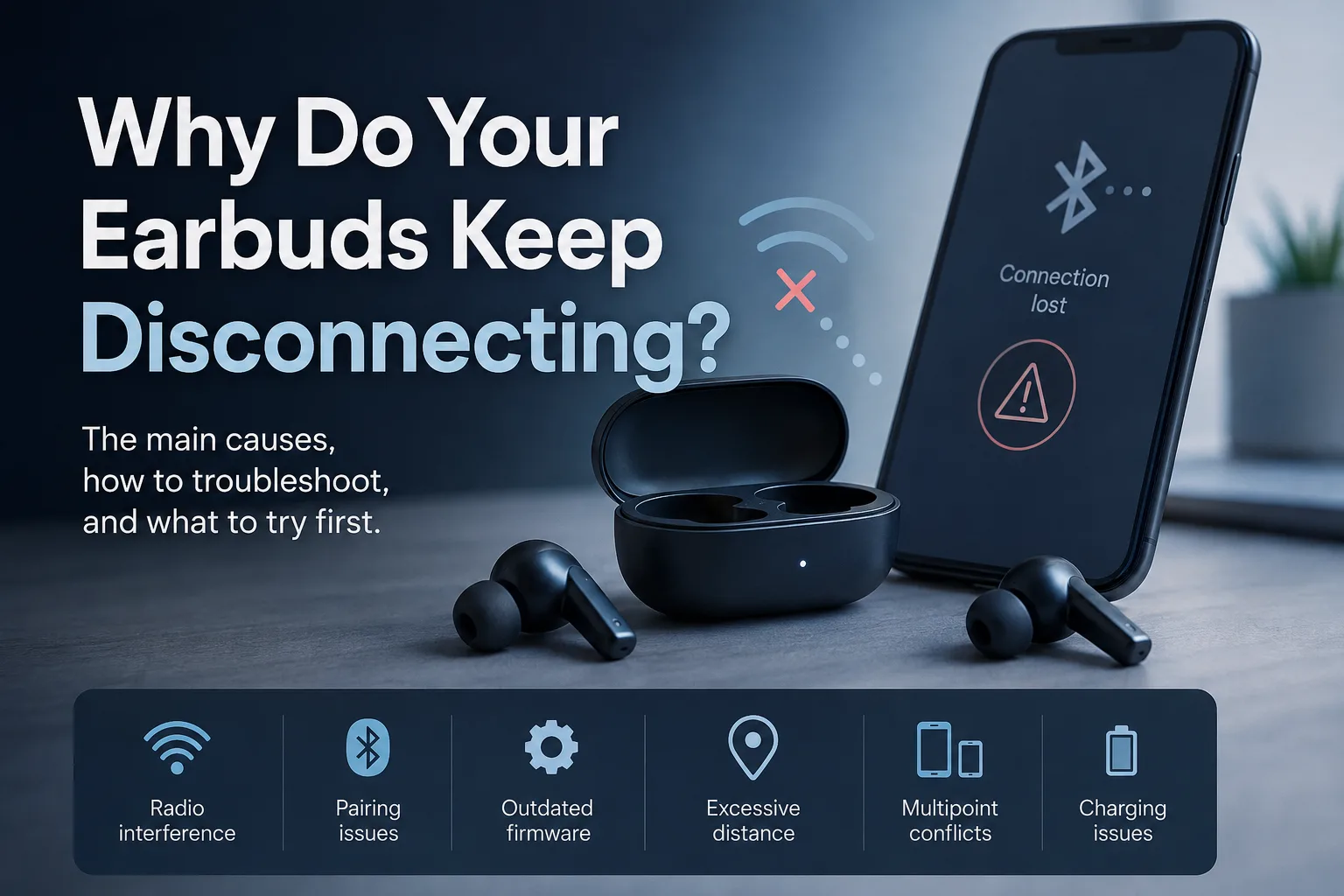
Why Do Your Earbuds Keep Disconnecting?
Earbuds that repeatedly disconnect can quickly turn a simple listening session into a frustrating experience.

Before assuming that there is a hardware problem, several common causes are worth checking. Radio interference, Bluetooth pairing issues, outdated firmware, excessive distance, and features such as multipoint can all contribute to repeated interruptions.
Here are the main causes to check when your earbuds keep disconnecting.
1. Radio interference can disrupt the connection
Bluetooth operates in a frequency band that is also used by Wi-Fi and many other wireless devices.
In environments with a particularly high concentration of wireless signals — such as open-plan offices, public transportation, or urban areas with many Wi-Fi networks — interference can contribute to micro-cutouts or make the connection less stable.
If your earbuds work perfectly at home but start disconnecting regularly in crowded environments, interference is worth investigating.

What can you do?
Try using your earbuds in an environment with fewer wireless devices.
If the disconnects disappear, the problem may be related to the radio environment rather than the earbuds themselves.
2. Your Bluetooth pairing history may be causing problems

Your phone keeps a record of Bluetooth devices that have previously been paired with it.
In some cases, a large history or corrupted pairing information can cause unusual behavior.
A simple solution is to remove your earbuds from the Bluetooth device list and perform a complete pairing process again.
How to do it
Open your phone's Bluetooth settings.
Select your earbuds.
Choose the option to forget or remove the device.
Place the earbuds in their charging case.
Enable pairing mode again.
Reconnect them to your phone.
This gives the Bluetooth connection a fresh start.
3. Your earbuds' firmware may be outdated
The internal software of your earbuds, known as firmware, also plays a role in connection management.
Manufacturers regularly release firmware updates that can, among other things, fix problems discovered after a product's launch.
If your earbuds have started disconnecting regularly, check whether an update is available through the manufacturer's companion app.
What to check
Open the app associated with your earbuds and look for a section related to:
updates;
firmware;
earbud software;
system information.
If an update is available, install it before moving on to more extensive troubleshooting.
4. The distance between your earbuds and phone matters
Bluetooth can theoretically operate over several dozen meters in certain conditions, but the usable range depends heavily on the environment.
Walls, furniture, and other physical obstacles can reduce both range and signal stability.
The human body itself can also affect the radio link when the phone and earbuds are positioned unfavorably.
If disconnects mainly occur when your phone is farther away, try keeping it closer to your earbuds.
A simple test
Place your phone very close to the earbuds and use them for a few minutes.
If the connection becomes stable, distance or physical obstacles may be part of the problem.
5. Multipoint can cause unexpected switching
Multipoint allows some earbuds to remain connected to multiple devices at the same time, such as a smartphone and a computer.
This feature is convenient, but its implementation can vary significantly between models.
In some cases, poor multipoint handling can cause unwanted switching or interruptions between connected devices.
How can you check?
If your earbuds are connected to multiple devices, temporarily disable multipoint and use them with only one device.
If the disconnects disappear, multipoint may be contributing to the problem.
6. Dirty charging contacts can complicate the diagnosis
A dirty charging case or dirty earbuds do not necessarily cause Bluetooth disconnections directly.
However, dirty charging contacts can prevent the earbuds from charging properly.
A lower-than-expected actual battery level can then be mistaken for a connection problem.
If the disconnects are accompanied by unusually poor battery life or one earbud consistently appears less charged than the other, check the charging contacts.
What order should you try the solutions in?
There is no need to immediately reset your earbuds.
Start with the simplest troubleshooting steps:
Move your phone closer to the earbuds.
Test them in an environment with fewer wireless signals.
Check the battery level.
Temporarily disable multipoint.
Check for firmware updates.
Remove the Bluetooth pairing and reconnect the earbuds.
Perform a full reset if the problem persists.
This approach helps identify the cause progressively instead of immediately starting with a full reset.
When should you consider a hardware problem?
If disconnects continue after checking pairing, firmware, distance, interference, and multipoint, a hardware problem becomes a possibility.
This is particularly worth investigating if:
the earbuds disconnect with multiple phones;
interruptions occur even at very short distances;
only one earbud is consistently affected;
the problem continues after a full reset.
In that case, check the manufacturer's troubleshooting procedures or contact its support team before concluding that the earbuds are defective.

FAQ
Should I completely reset my earbuds if they keep disconnecting?
Not necessarily as a first step.
It is better to check the firmware, Bluetooth connection, distance, interference, and multipoint first. If the problem persists, a full reset can be an effective next step.
See our earbud reset guide by brand.
Can multipoint cause disconnects?
Yes. A multipoint implementation that does not handle switching between devices well can occasionally cause unwanted switching or interruptions.
To test this, temporarily disable multipoint and use your earbuds with only one device.
Can a dirty charging case or dirty earbuds cause connection problems?
Indirectly.
Dirty charging contacts can prevent the earbuds from charging properly. An insufficient battery level can then be mistaken for a connection problem.
Why do my earbuds only disconnect in certain places?
Radio interference can be more significant in environments containing many wireless devices and Wi-Fi networks.
Try your earbuds in a different environment to determine whether the problem depends on where you are using them.
Why does only one earbud keep disconnecting?
A problem affecting only one earbud can have several causes. Check its battery level, charging contacts, firmware, and the reset procedure specific to your model.
Conclusion
Earbuds that keep disconnecting are not necessarily defective.
The first things to check are radio interference, Bluetooth pairing history, firmware, the distance between the devices, and multipoint.
In many cases, a few simple tests can help determine whether the problem comes from the environment, the configuration, or the earbuds themselves.
If nothing works, a full reset may be the next step.
Are your earbuds still disconnecting? Check our earbud reset guide by brand for the procedure that applies to your model.
EarbudsTimeline is an independent project. If this article helped you, a free-amount donation always makes my day.
Stay in the loop
New articles and database updates, no spam.