How Long Do Bose Headphones Last? Battery Life by Product Type
blog.inBrief
Battery life varies significantly across Bose's earbud and over-ear lineup — here's what to actually expect, plus how to extend it over time.
How Long Do Bose Headphones Last? Battery Life by Product Type
"Bose headphones" covers a wide range of products — true wireless earbuds, over-ear noise cancelling headphones, and sport-focused earbuds — and battery life differs meaningfully between these categories. There isn't one single number that applies to "Bose headphones" as a whole.
🎧 True wireless earbuds vs. over-ear headphones
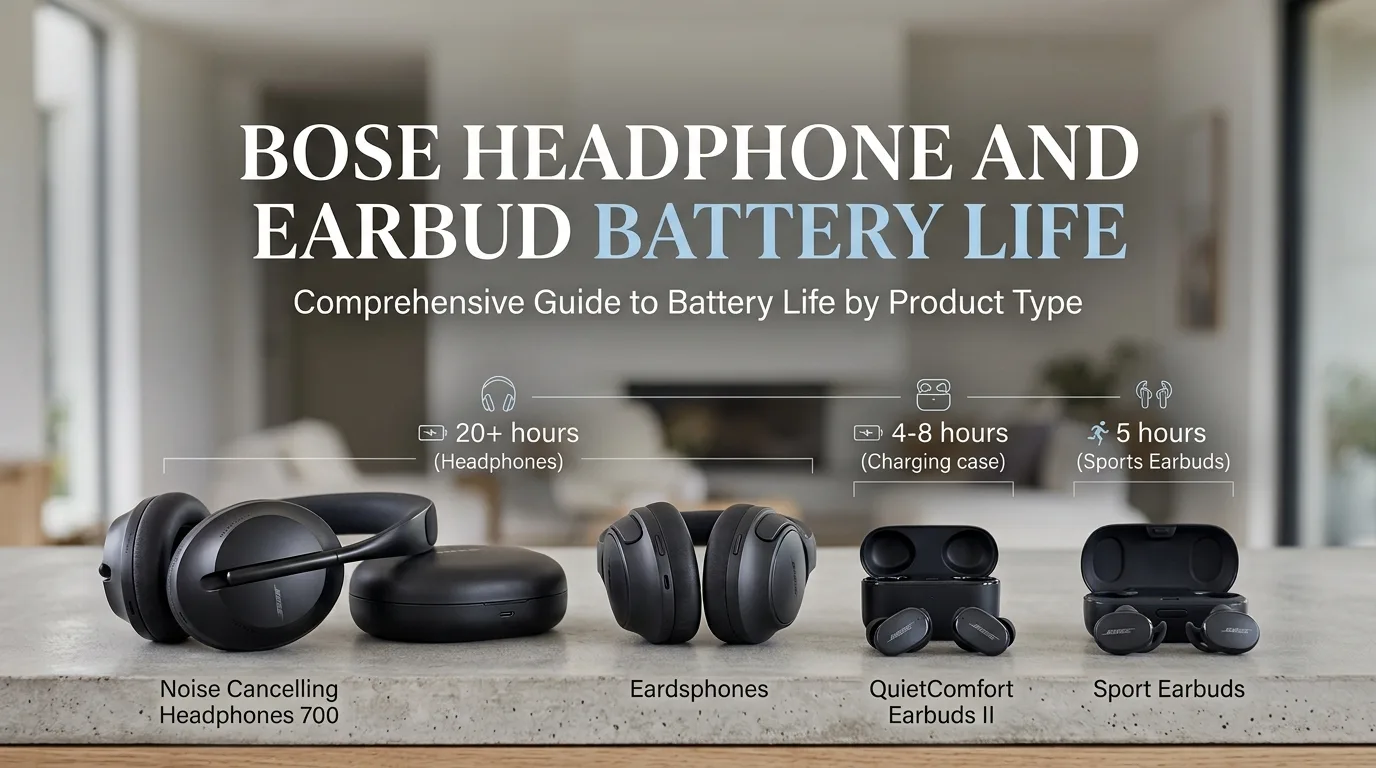
As a general rule across the industry (Bose included), true wireless earbuds run on small batteries packed into each earpiece, which limits single-charge battery life to roughly 4–8 hours before needing the charging case. Over-ear headphones have much more physical space for a larger battery, which is why Bose's over-ear noise cancelling models typically run considerably longer per charge — often in the range of 20+ hours — than any true wireless earbud model.
The Bose Sport Earbuds, for example, are rated for about 5 hours per charge, with the charging case providing roughly two additional full charges on top of that.
🔋 What actually determines battery life on a given day
Volume level: Louder listening drains the battery faster, sometimes significantly.
ANC status: Active noise cancelling draws extra power — using it constantly will noticeably shorten a session compared to having it off.
Codec and connection type: Higher-bitrate codecs and multipoint connections (staying connected to two devices at once) both use more power than a basic single-device SBC connection.
Battery age: Like all rechargeable lithium-ion batteries, capacity gradually degrades with charge cycles — a 2-year-old pair will not hold as much charge as it did new, regardless of the original rating.
🔌 How to check your specific model's rating
Since the exact number depends on the specific Bose product you own, the most reliable way to check is:
Open the Bose Music app (or Bose Connect for older models) and look at the product page for your specific headphones — battery specifications are usually listed there.
Check the original product box or manual, which lists the manufacturer-rated battery life for that exact model.
Search the model name directly on Bose's support site for the official specification sheet.
🪫 Extending battery life and lifespan over time
Avoid leaving Bose headphones at 0% charge for extended periods, which can accelerate long-term battery degradation.
Turn off ANC when you don't need it (like at home in a quiet room) to stretch a single session further.
Keep firmware updated via the Bose app — Bose has occasionally shipped efficiency improvements through firmware updates.
If your Bose headphones' battery life has dropped significantly below their original rating, this is usually normal age-related battery wear rather than a defect — Bose support can advise on battery replacement or trade-in options depending on the specific model.
EarbudsTimeline is an independent project. If this article helped you, a free-amount donation always makes my day.
Stay in the loop
New articles and database updates, no spam.