
Which Bose Headphones Do I Have? How to Identify Your Exact Model
blog.inBrief
Bose makes many similar-looking headphones over the years — here's how to find your exact model using the serial number, Bluetooth name, or physical details.
Which Bose Headphones Do I Have? How to Identify Your Exact Model
Whether you bought them secondhand, lost the box, or just can't remember the exact name, there are a few reliable ways to identify exactly which Bose headphones you own.
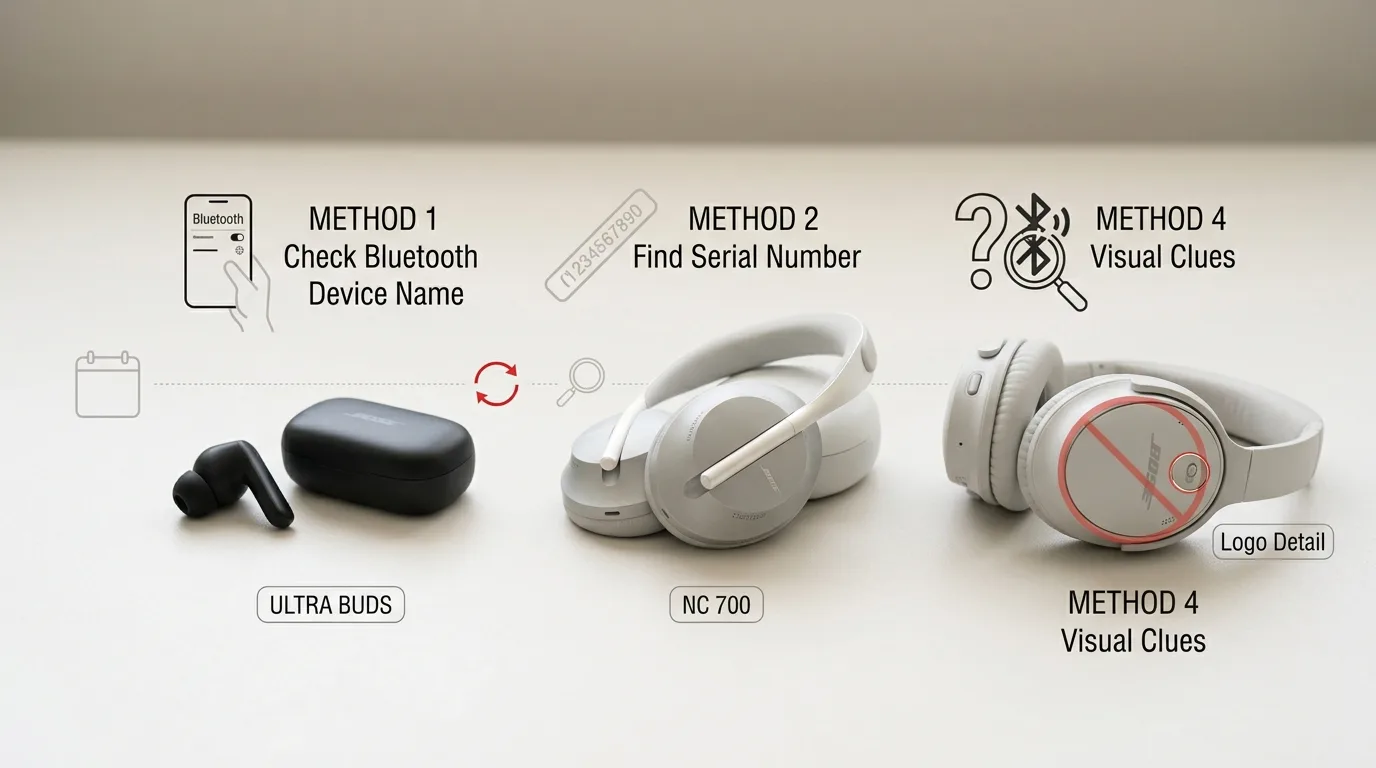
🔍 Method 1: Check the Bluetooth device name (the fastest method)
Pair your headphones with your phone and look at the exact device name shown in your Bluetooth settings — it's usually the precise model name (for example, "Bose QuietComfort 45" rather than just "Bose headphones"). This is often the quickest way to identify your model without opening the app or hunting for a serial number.
🔢 Method 2: Find the serial number
The serial number's exact location depends on your headphones' style:
True wireless earbuds: A 4-digit code is usually printed directly on the earbud body — try removing the silicone tip if you can't see it right away.
Over-ear or on-ear headphones: Look inside the earcup, gently lifting the fabric padding if needed to reveal the code underneath.
Models with a removable battery or cushion: Remove the ear cushion to reveal a 17-digit serial number on the earcup itself, or check inside the battery compartment.
Once you have the serial number, enter it on Bose's official product registration page — this will display your exact model name.
📱 Method 3: Use the Bose app
If your headphones are compatible with the Bose Music app (or the older Bose Connect app), the app will identify the connected model by name automatically once paired — no need to hunt for a serial number at all.
👀 Method 4: Visual and physical clues
If you can't pair the headphones or find a serial number, a few physical details can narrow things down:
Charging port type: Older models (like the QuietComfort 35) use Micro-USB, while newer models use USB-C — a quick way to rule out older generations.
Physical controls: An "Action" button on the left ear cup, in addition to standard volume controls, typically indicates a QuietComfort 35 II or newer.
Logo style: Some older QuietComfort models feature a distinct metallic ring around the Bose logo that newer models don't have.
🛒 Why identifying your exact model matters
Getting the exact model right matters most when buying replacement parts (ear cushions, cables, batteries) or looking up warranty information — accessories are rarely interchangeable even between visually similar Bose generations, since dimensions and connector types often differ from one model year to the next.
If none of these methods work — for example, the headphones won't power on at all — Bose's customer support can often help identify a model from photos alone if you contact them directly.
EarbudsTimeline is an independent project. If this article helped you, a free-amount donation always makes my day.
Stay in the loop
New articles and database updates, no spam.